
GutSlider plugin’s installation and activation are similar to other WordPress plugins. You can install it in different ways. Here I have described the easiest way to install the GutSlider plugin from your admin dashboard. Simply follow these steps:
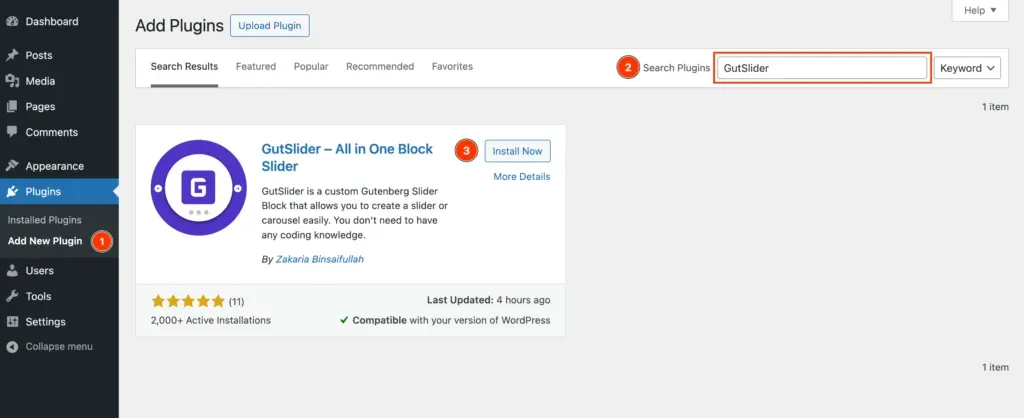
- Login to Your WordPress Dashboard: Access your WordPress website’s admin area.
- Navigate to the Plugins Menu: On the left sidebar, hover over or click “Plugins.”
- Add New Plugin: Click the “Add New” button.
- Search for GutSlider: Use the search bar at the top right to find “GutSlider.”.
- Install the Plugin: Locate the GutSlider plugin and click the “Install Now” button.
- Activate the Plugin: Once the installation is complete, click the “Activate” button.